Getting Into Fullstride: Sign Up and Log In
Quick steps for magic links, Google sign-in, and completing your profile so you can manage your horses fast.
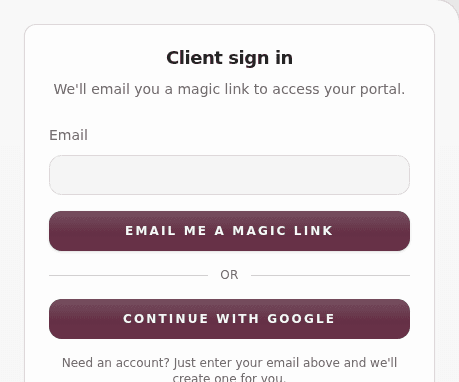
Getting started with Fullstride is designed to be simple and secure. We use "passwordless" authentication, which means you never have to remember (or reset) a password again.
Step 1: Sign In or Register
- Open the Fullstride homepage at https://www.fullstride.app.
- Look for the Client sign in button.
- Choose your preferred method:
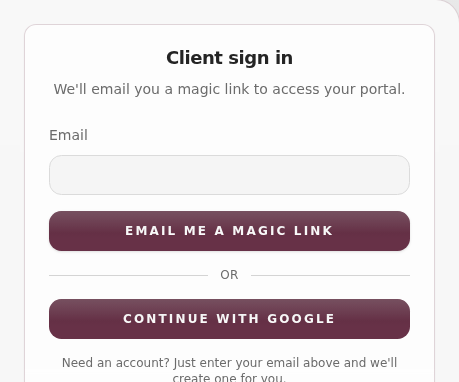
- Magic Link: Enter your email address and select Continue with Email. You will receive a secure link in your inbox. Click it to be signed in instantly.
- Google: Select Continue with Google to use your existing Google account for a one-tap sign-in.
Step 2: Complete Your Profile (New Users)
If this is your first time using Fullstride, you will be directed to a quick onboarding page. To ensure your practitioners can reach you and your records are legally sound, you will need to provide:
- First and Last Name: So people know who they are talking to.
- Phone Number: Required for appointment reminders and urgent care updates.
- Legal Acceptance: A quick tick to accept our current Terms and Conditions and Privacy Policy.
Step 3: Add Your First Horse
Once your profile is set, Fullstride will take you straight to your Stable. If you are new, the Add Horse form will open automatically.
- Enter your horse’s name, breed, and age.
- Add a photo so your profile feels complete.
- This creates the foundation of your horse's care timeline.
Why we do not use passwords
We believe in high security with low friction. Magic links and Google sign-in:
- Stop Phishing: There is no password for hackers to steal.
- Zero Memory Load: You already have access to your email or Google account; that is all you need.
- Total Control: Access is tied directly to your primary identity.
Returning to the Portal
Next time you sign in, we will remember who you are and take you straight to your dashboard or the specific page you were looking for. If we ever update our Terms or Privacy Policy, we might ask you for a quick re-confirmation on your next visit to keep everything up to date.
If you get stuck, reach out through our feedback button or check our client docs online.